 PhotoKit
Make any photo
bigger and sharper.
PhotoKit enlarges photos 2×, 4×, 8× or straight to print size with AI that runs on your Mac. It also removes backgrounds, fixes dull photos and converts HEIC and RAW — and nothing is ever uploaded.
Free to try: 10 AI jobs and unlimited single-file conversions. Notarized by Apple.
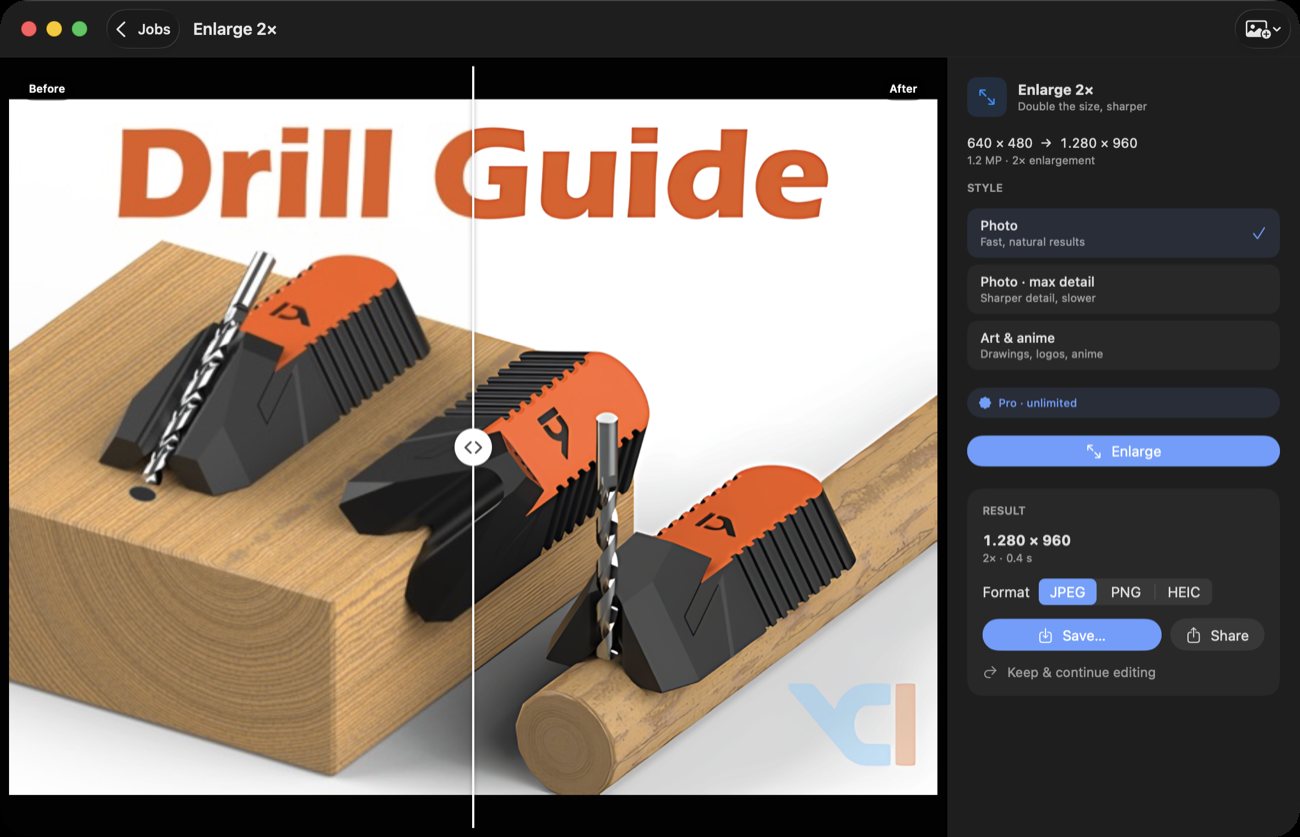
Pick a job. Get the result.
No layers, no settings walls. Every job is one tile — drop a photo in, compare before and after, save. Finished jobs stay in your gallery so you can take any result further.
Enlarge 2× · 4× · 8×
Real detail, not blur. Up to 8× in two AI passes.
Enlarge for print
A4 up to 70×100 cm at 300 dpi, written into the file.
Wallpaper
Sharp at your exact screen resolution.
Art & logos
A model tuned for drawings, logos and AI images.
Remove background
Transparent PNG for stickers and cut-outs.
White background
Clean product and listing photos.
Blur background
A portrait look from any photo.
Enhance
Light, colour, noise and lost detail in one tap.
HEIC & RAW to JPG
855+ cameras, iPhone photos — opens anywhere.
Shrink file size
Under 500 KB for forms and email — never bigger than before.
WebP & AVIF
Small files for websites and shops, location removed.
Convert many
Whole folders, subfolders kept, capture dates kept.
Your photos never leave your Mac.
The AI models ship inside the app and run on Apple's Neural Engine. No account, no uploads, no tracking.
Fast on Apple silicon
A 2048 px photo enlarges 4× in about 1.5 seconds on an M-series Mac.
Nothing to sign up for
No analytics, no telemetry. Family photos and client work stay yours.
Plane, train, anywhere
After install, every job works without an internet connection.
Pay once. No subscription.
Try every job for free. Unlock unlimited use with a one-time license.
Free
- 10 AI jobs (enlarge, background, enhance)
- Unlimited single-file conversions
- Shortcuts actions
PhotoKit Complete
- Unlimited AI jobs, up to 8× and print sizes
- Batch convert whole folders
- Lifetime license · 1 year of updates included
- Optional $4.99/year to keep getting new versions
iPhone, iPad & Mac App Store
- Same jobs on iPhone and iPad
- Save straight to Photos
- Bought through Apple, separate from the Mac license
One line in Terminal.
The installer downloads the notarized app, checks its SHA-256 checksum, and copies it to Applications.
$ curl -fsSL https://photokit.nodetools.org/install.sh | bash
- Developer ID signed and notarized by Apple
- Checksum verified before anything is installed
- Installs to /Applications (or ~/Applications)
--dry-runto see what it would do
Prefer a download?
Open the disk image and drag PhotoKit Complete to Applications.
SHA-256: loading…
Questions
Does enlarging really add detail?
PhotoKit uses Real-ESRGAN models that were trained to rebuild edges, textures and text. It can't invent what was never in the photo, but results are much sharper than resizing in a normal editor.
What counts as a "job"?
Each completed enlarge, background or enhance run counts as one AI job. Converting a single file is always free and doesn't count. Batch conversion needs a license.
What do I get with the license?
Unlimited AI jobs and batch conversion, forever, on your Macs. New versions released within 1 year of purchase are included; after that you can keep using your version or renew for $4.99/year.
Which Macs are supported?
macOS 15 Sequoia or newer, on Apple silicon or Intel. Apple silicon is much faster thanks to the Neural Engine.
Can I use it from Shortcuts or Finder?
Yes. PhotoKit adds Enlarge Image, Remove Background, Enhance Image and Convert Image actions to Shortcuts. Turn on "Use as Quick Action" on a shortcut to get it in Finder's right-click menu.
How do I uninstall?
Drag PhotoKit Complete from Applications to the Trash. Your gallery lives in its sandbox container under ~/Library/Containers/com.soulzeek.photokit.